
Agentforce Builder brings the agent's jobs, instructions, actions, and knowledge into one authoring workflow. The interface makes iteration fast, but architectural clarity still depends on how deliberately each capability is defined.
Good configuration reduces ambiguity: focused subagents, directive descriptions, narrow actions, explicit state, scoped knowledge, and testable handoffs.
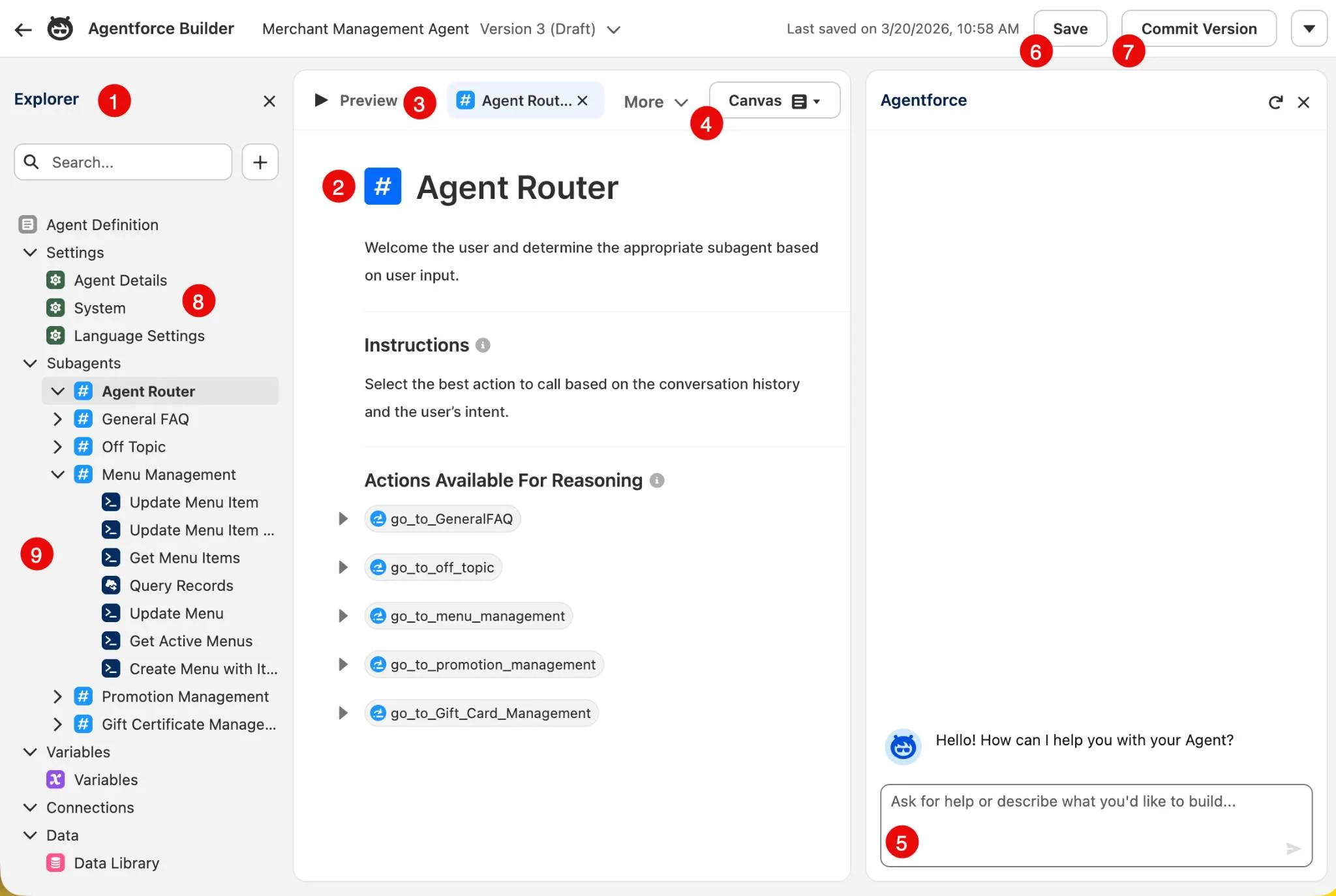
Configure for clear model choices
- Give each subagent a distinct job and description that separates it from neighboring responsibilities.
- Write instructions as explicit decisions and boundaries, while recognizing that natural language remains behavioral guidance.
- Describe actions with precise purpose, prerequisites, inputs, outputs, and limitations.
- Attach only the knowledge and capabilities required for the approved scope.
Build in reviewable increments
- Configure one end-to-end job and validate it before adding adjacent topics.
- Use preview and traces to inspect routing, variable state, and action selection.
- Move non-negotiable rules into filters, permissions, Flow, Apex, or human approvals.
- Run regression tests after every material configuration change.
Resources
This article is based on the following Salesforce learning and product documentation.