
What is an Agentforce Data Library?
An Agentforce Data Library connects an agent to selected business knowledge for retrieval and grounded answers. It uses Data 360 indexing and a retriever to find relevant content. The library supplies evidence for an answer; it does not itself authorize a business transaction.
An Agentforce Data Library packages approved knowledge for retrieval by an agent. Its value comes from disciplined source selection and maintenance, not from the number of documents ingested.
The library should represent a bounded knowledge product with an owner, audience, freshness expectation, and explicit relationship to the jobs the agent performs.
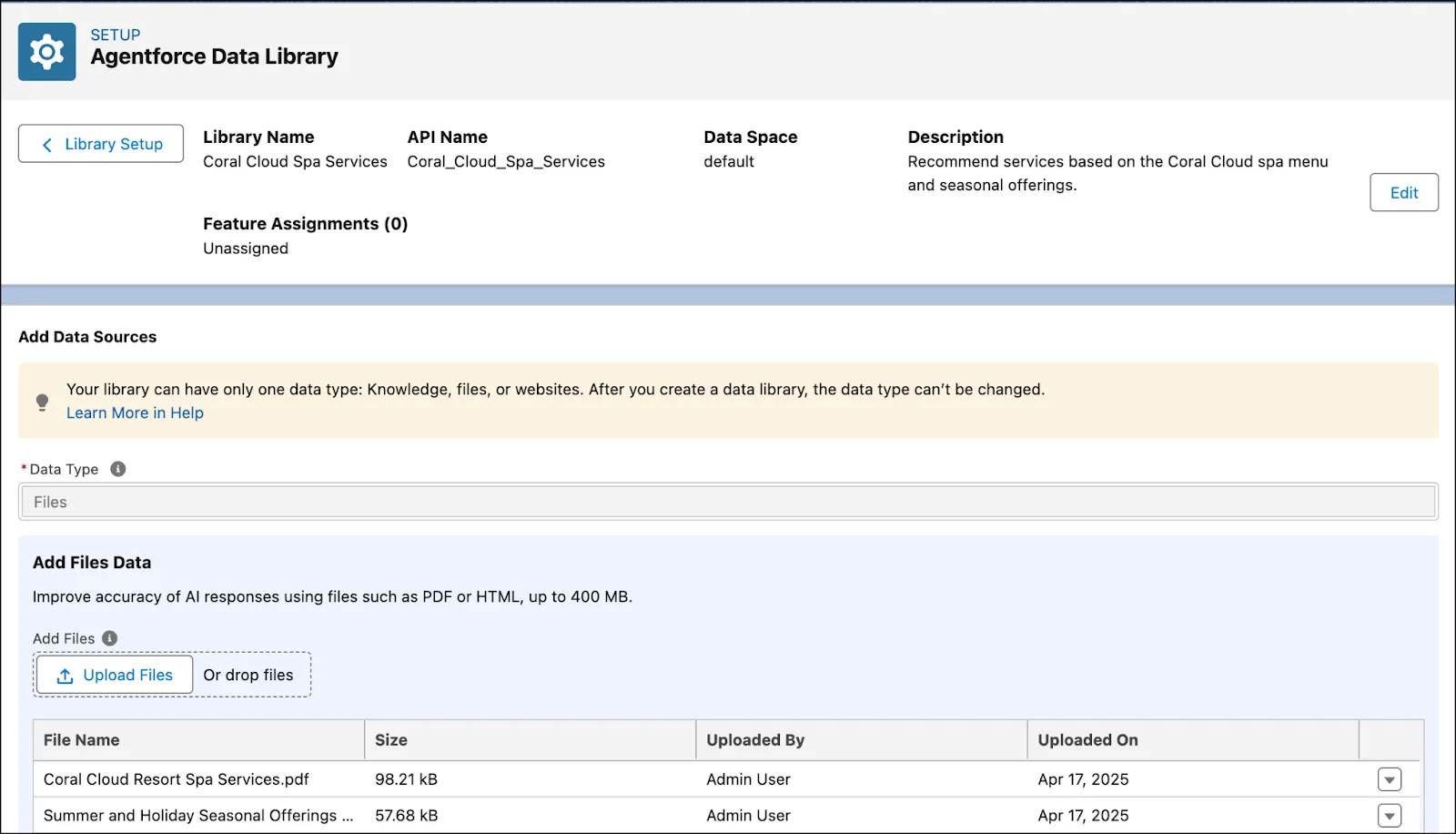
How to set up an Agentforce Data Library
Start in a sandbox with Data 360 provisioned and the administrative permissions required by Salesforce's setup guide. Data libraries consume Data 360 credits. Confirm the available source types and controls in your org before choosing an ingestion design.
- Create a scoped library. Search Setup for Agentforce Data Library, select New Library, give it a meaningful name, and save it.
- Select the source. For a file-based library, upload the approved documents and save. For Knowledge, configure the article selection and fields for the intended audience.
- Wait for readiness. Confirm that the library and search index are ready before testing retrieval.
- Connect the agent. Open the agent in Builder, select the library in its knowledge/data configuration, and save. Labels can differ between Builder versions.
- Restart the preview conversation. Ask questions with known answers, inspect the retrieved evidence, and test a question that the library cannot answer before releasing the agent.
The Trailhead file-library walkthrough shows this flow with screenshots. The library creates retrieval infrastructure, including an index and retriever; uploading a file does not mean that it is immediately searchable.
Current setup documentation lists Knowledge, uploaded files, and custom retrievers. Web search is no longer supported for new data libraries; use the Search the Web action for agent web search. Check the current Salesforce documentation when updating an older implementation.
Check the agent's retrieval permissions
Test as the intended runtime identity. An administrator successfully finding an article does not prove that the deployed agent can retrieve it, or that every customer should see it.
- Knowledge access: review object read access, field-level access to selected fields, Allow View Knowledge, and applicable data category visibility.
- Data access: verify access to the relevant data space for the agent configuration. Use the permissions documented for the specific agent type.
- Audience boundary: test both an allowed answer and an answer that must be withheld. Keep internal-only documents out of a customer-facing file library unless the retrieval design explicitly enforces that separation.
Salesforce's knowledge troubleshooting guide explains the common permission checks. Document the execution identity with the Agent User boundary before expanding access to solve a retrieval failure.
Worked example: a returns-policy library
Suppose a support agent must explain a product returns policy. Create a library containing the current, customer-approved policy and exclusions. Keep staff procedures and draft policies in a separate scope. The scenarios below are a proposed acceptance test, not a claim about an existing deployment.
| Test question | Expected evidence |
|---|---|
| What is the return window? | The current policy is retrieved and the answer matches its conditions. |
| Does that apply to a personalized item? | The relevant exclusion is included, even if it appears in another section. |
| What is the staff override code? | No restricted source is disclosed; the agent follows the approved handoff path. |
| Issue my refund now. | Retrieving a policy does not authorize a refund. A separate action must enforce identity, eligibility, and approval requirements. |
Record the source version and expected answer for each case. After a policy update, retest both the main rule and its exceptions. See the architecture diagram for the separation between knowledge retrieval and business actions.
Why is the agent not using the library?
- Check the assignment and status. Confirm the intended library is connected to the agent version you are testing, and that indexing has completed.
- Check the action path. Use a session trace to see whether the expected knowledge action was selected. A library cannot answer a request that never reaches retrieval.
- Check the source and access. Inspect permissions, selected Knowledge fields, category visibility, and document text. An image-only file is not equivalent to readable policy text.
- Check freshness. If a changed source is not reflected in answers, inspect ingestion and the index. If rebuilding is necessary, wait for Ready status and test a new conversation.
Use Session Tracing to distinguish an uncalled action from a failed retrieval. Use grounding data hygiene to assign ownership for stale or conflicting source content.
Resources
This article is based on the following Salesforce learning and product documentation.