
Conversation traces explain agent decisions, while platform event data provides a wider operational and security view. Together they help teams investigate who accessed what, when activity changed, and whether an incident extends beyond one session.
Event monitoring becomes useful when signals are tied to expected behavior, owners, alert thresholds, and an investigation playbook. Collecting logs without those decisions only moves uncertainty into storage.
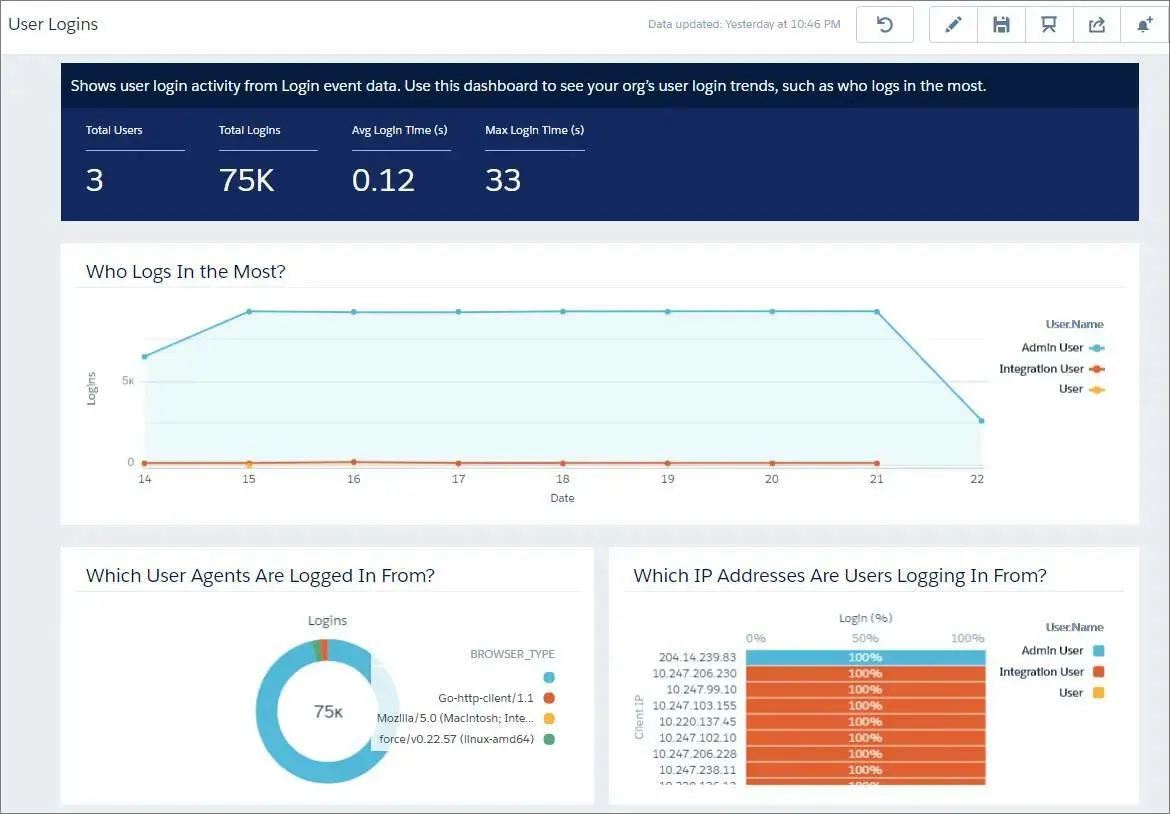
Monitor the surrounding platform
- Identify events relevant to authentication, access, data export, API use, configuration change, and high-impact transactions.
- Baseline normal activity before setting thresholds so alerts reflect meaningful deviation.
- Correlate platform events with agent session identifiers, users, actions, and business records where possible.
- Protect monitoring data because logs may contain sensitive operational context.
Create an investigation path
- Define alert conditions, severity, owner, evidence source, and response time.
- Test the playbook with simulated misuse, credential failure, unusual volume, and unauthorized access attempts.
- Preserve enough context to reconstruct the incident without retaining unnecessary sensitive content.
- Feed confirmed incidents into access reviews, agent tests, and architecture changes.
Resources
This article is based on the following Salesforce learning and product documentation.